Importing DataOnTime supports importing
data from standard Microsoft Excel and CSV (comma separated values) files.
Importing data in OnTime Management
Suite
- From the File menu, choose Import
Data
- Choose the file to be imported by clicking the
Browse button
- Select the list that the contents of the file should be
imported to
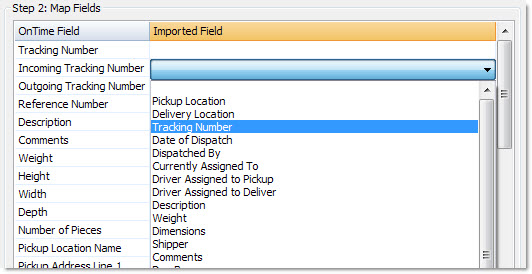
- Map the fields by clicking the corresponding cell in the
Imported Field column as illustrated here:
- Click the Import Now button to complete the
process.
